For Marketing Leaders
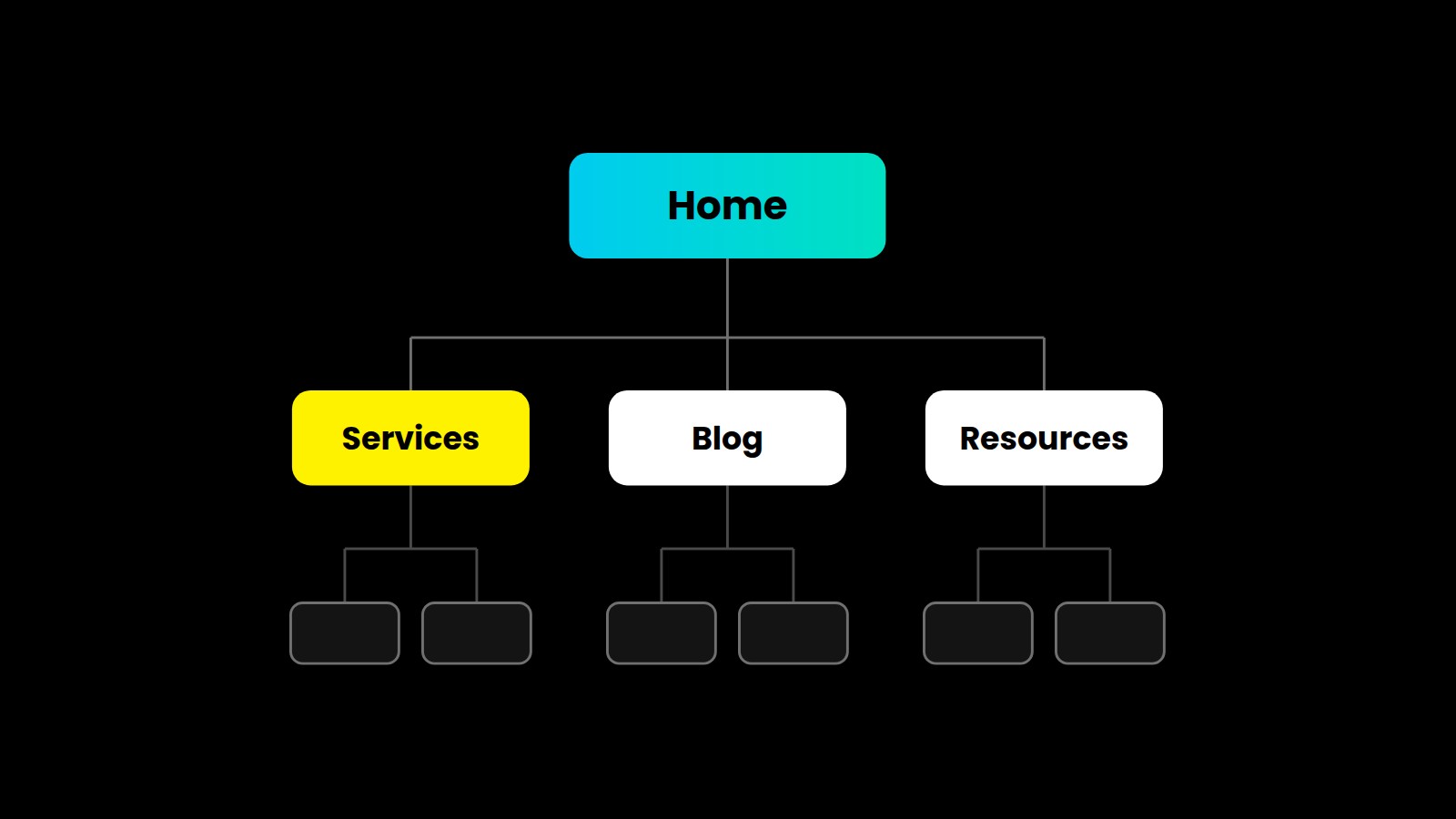
Website SEO starts with site and link structure, long before you write a single blog post. If Google can’t work out which pages matter most on your site, it will guess, and it usually guesses wrong.
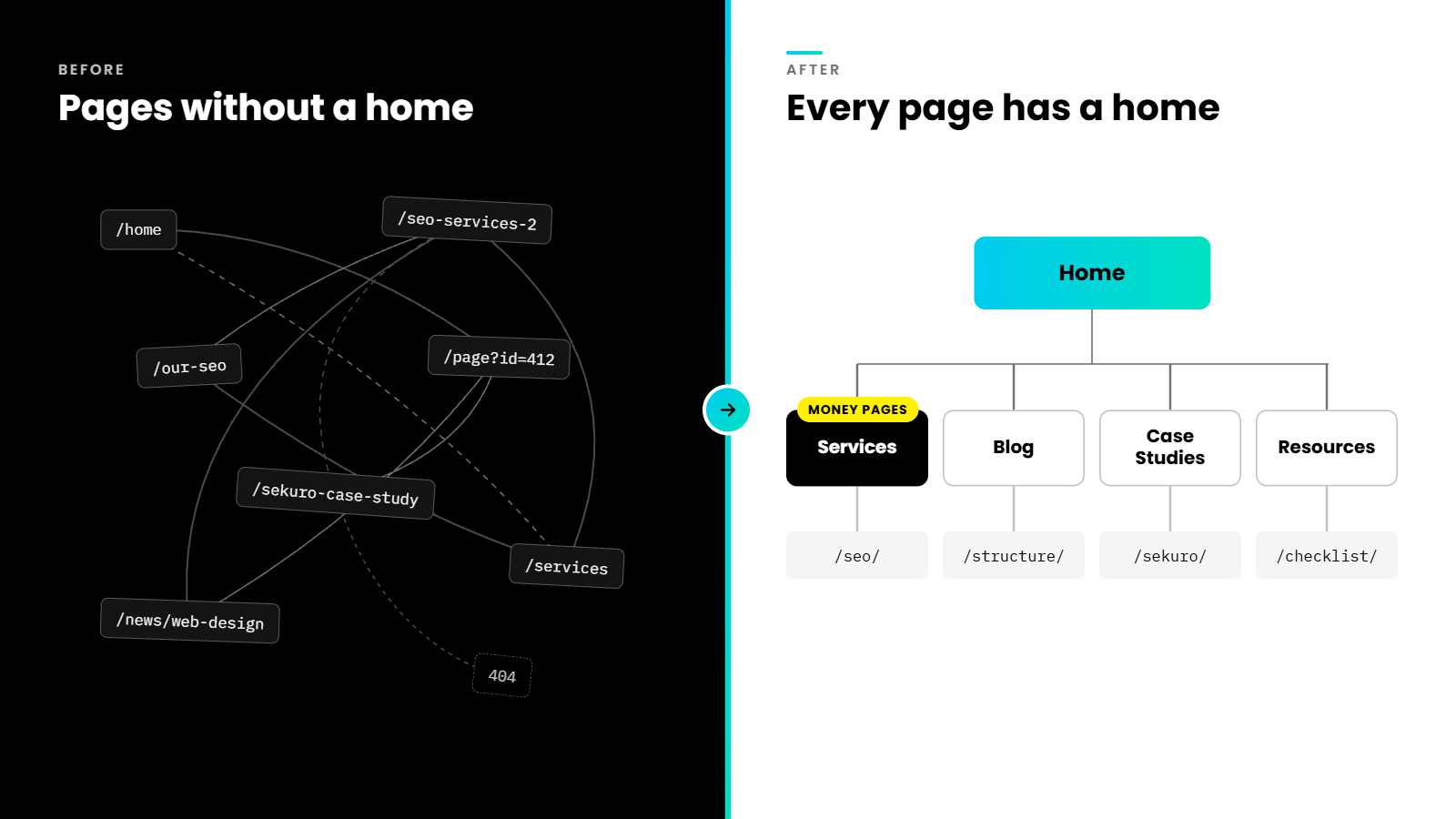
Almost every website we audit at Mindesigns has some version of this problem, whether the client is a local trade business or a global cybersecurity firm. The site looks polished, yet underneath it, the pages were never organised properly. Blog articles sit outside the blog, services live at random URLs, and the header menu sends visitors somewhere different from the footer.
In this article, I’ll walk you through what a good site structure looks like, how to organise categories like services, blog, case studies and resources, and why internal and external links hold the whole thing together. I’ll also share how we now use AI and keyword data to build this foundation before a website launches, so results compound from day one.
Why Site Structure Is the Foundation of Website SEO
Site structure is the way your pages are grouped, nested and connected. It tells people where to go next, and it tells search engines which pages carry the most weight.
Google uses links as a signal when determining the relevancy of pages and to find new pages to crawl, which means your structure directly shapes what gets discovered and what gets ranked. Google’s John Mueller has described how a top-down pyramid structure helps Google understand the context of individual pages within a site.
We see a second benefit just as often. A clear structure gives your team rules to follow. When someone creates a new page, they know where it lives, what it targets and which pages it should link to. Without that, every new page becomes a small guess, and after a few years those guesses turn into a tangled site.
The Mindesigns Site Pyramid
The SEO industry describes this hierarchy in a few ways, including pillar pages, hub and spoke models and money pages. At Mindesigns, we combine them into what we call the Site Pyramid, four tiers ranked by commercial value.
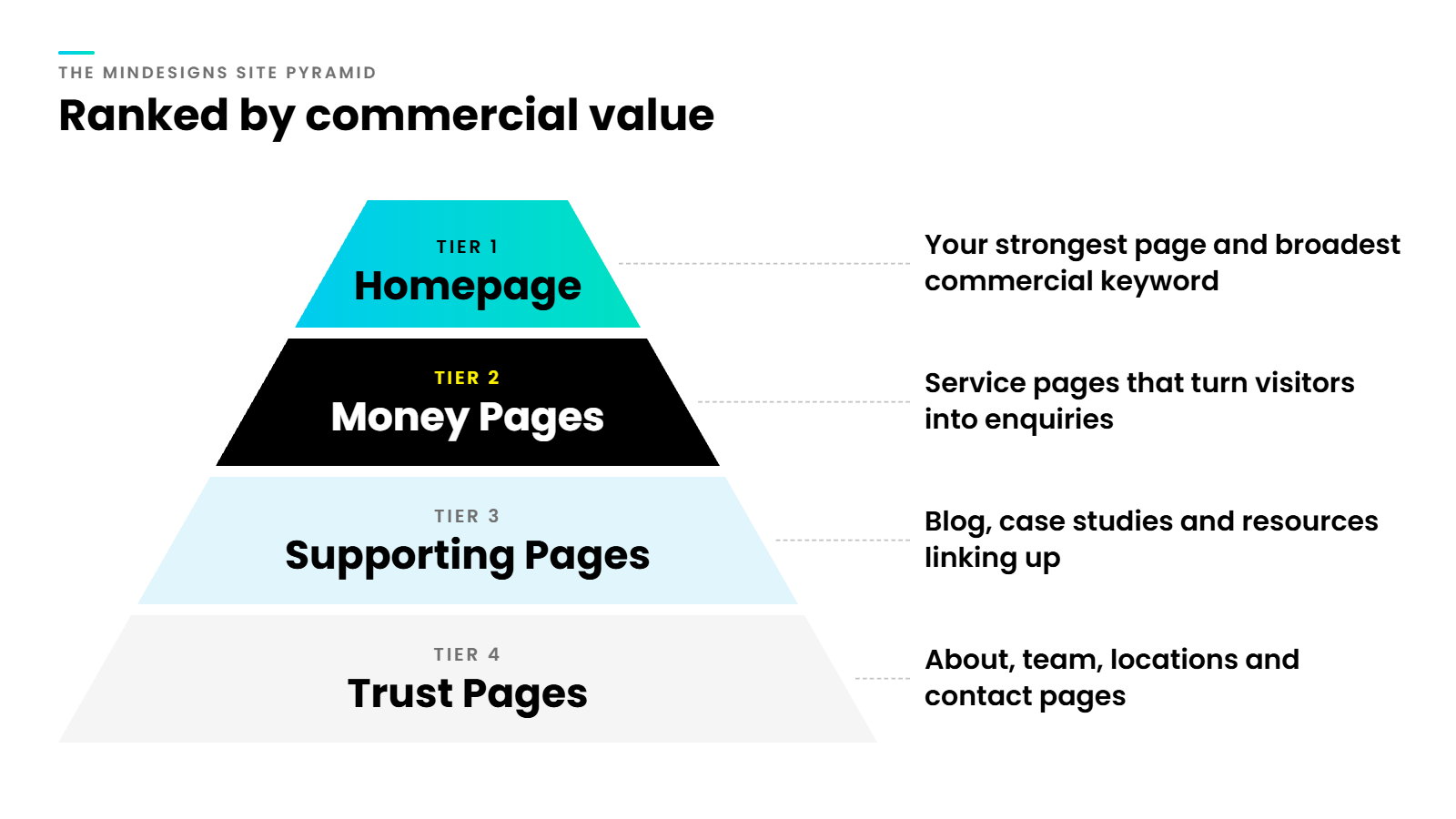
Tier 1. The Homepage
Your homepage is the most important page on your site. It usually attracts the most backlinks, carries the most authority and targets your broadest commercial keyword, such as “B2B digital marketing agency” or “cybersecurity services Australia”. Its job is to pass that authority down to the pages that make you money.
Tier 2. Money Pages
Money pages are your service and product pages. These are the pages that turn visitors into enquiries, so they target commercial intent keywords, the searches people make when they’re ready to buy. Every other tier below exists partly to support them.
Tier 3. Supporting Pages
Blog articles, case studies and resources sit here. They target informational keywords, answer questions your buyers are asking and build topical authority. Their most important SEO job is linking upward to the money pages they relate to.
Tier 4. Trust Pages
About us, team profiles, locations, contact and legal pages. They rarely rank for competitive terms, but they support E-E-A-T and give both people and AI systems the context they need to trust your business.
How to Organise Your Categories and URLs
Once the tiers are clear, each category gets its own folder in the URL. Google recommends keeping your site’s URL structure as simple as possible, and a consistent folder system is the simplest way we know to achieve that.
Here’s how we typically map the core categories.
| Category | Tier | Search intent | Example URL |
|---|---|---|---|
| Services | Money page | Commercial | /services/seo/ |
| Service sub pages | Money page | Commercial | /services/seo/local-seo/ |
| Blog | Supporting | Informational | /blog/site-structure-guide/ |
| Case studies | Supporting | Proof and comparison | /case-studies/sekuro/ |
| Resources | Supporting | Informational and lead capture | /resources/seo-checklist/ |
| Locations | Money or trust | Local commercial | /locations/sydney/ |
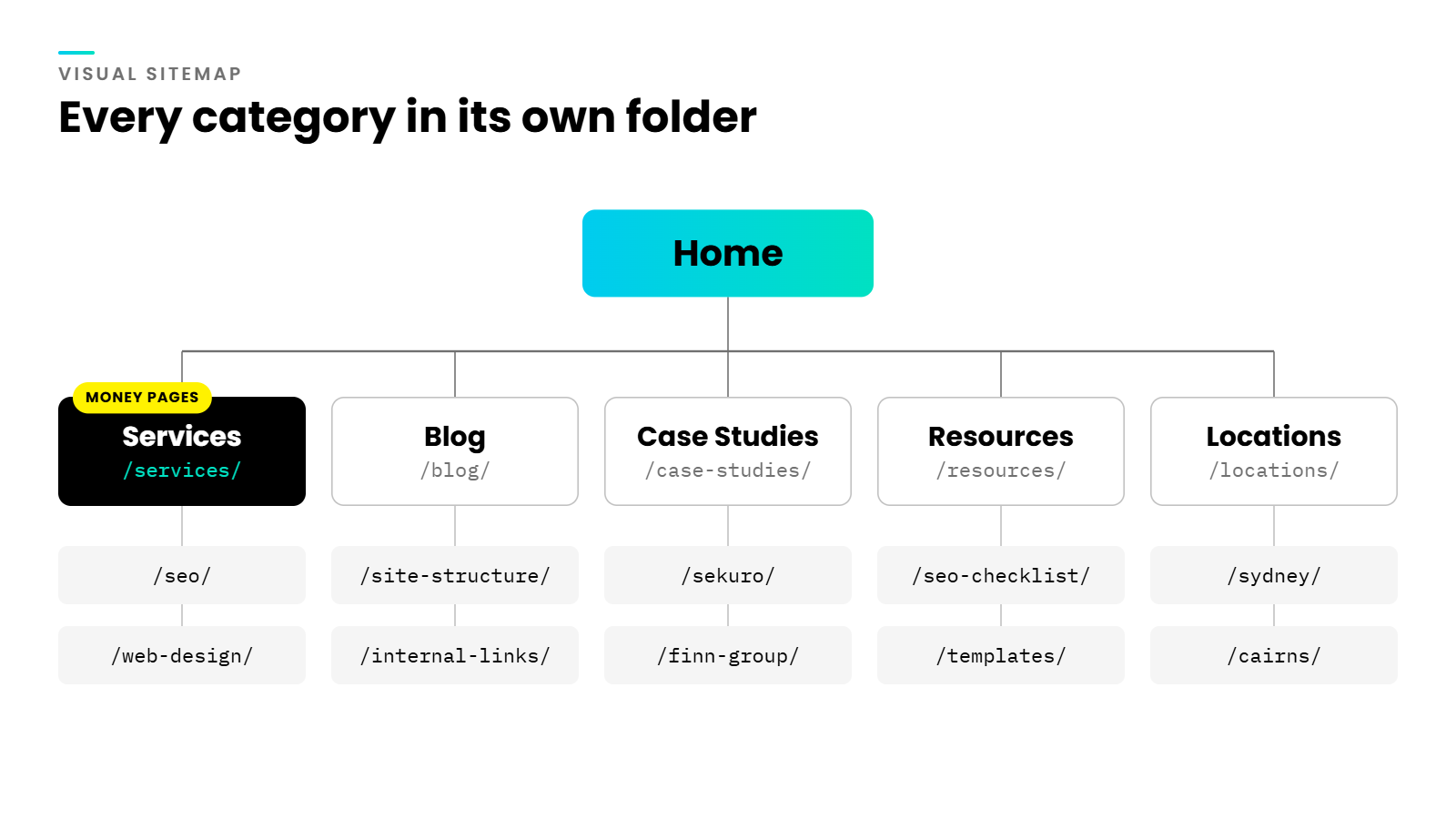
A few rules keep this clean. Every page belongs to exactly one category. Slugs are short and include the target keyword. Location pages repeat the same service structure for each area, which is the approach we outlined in our guide to SEO for lawyers. And nothing important should sit more than three clicks from the homepage.
What We Found When We Rebuilt Sekuro
Sekuro is a global cybersecurity firm operating across five countries. When we took on their website rebuild, site structure was one of the areas we focused on most.
Their old sitemap had grown without rules. Blog articles didn’t sit under the blog category, resources were scattered outside the resources section, and some service pages lived in places that had nothing to do with services. To Google, the site looked like a collection of unrelated pages rather than a clear hierarchy of cybersecurity expertise.
We rebuilt the site from scratch and gave every page a home. Services moved under one services folder, supporting content moved into its correct category, and each of their key markets received dedicated country pages set up with hreflang tags and localised content for international SEO.
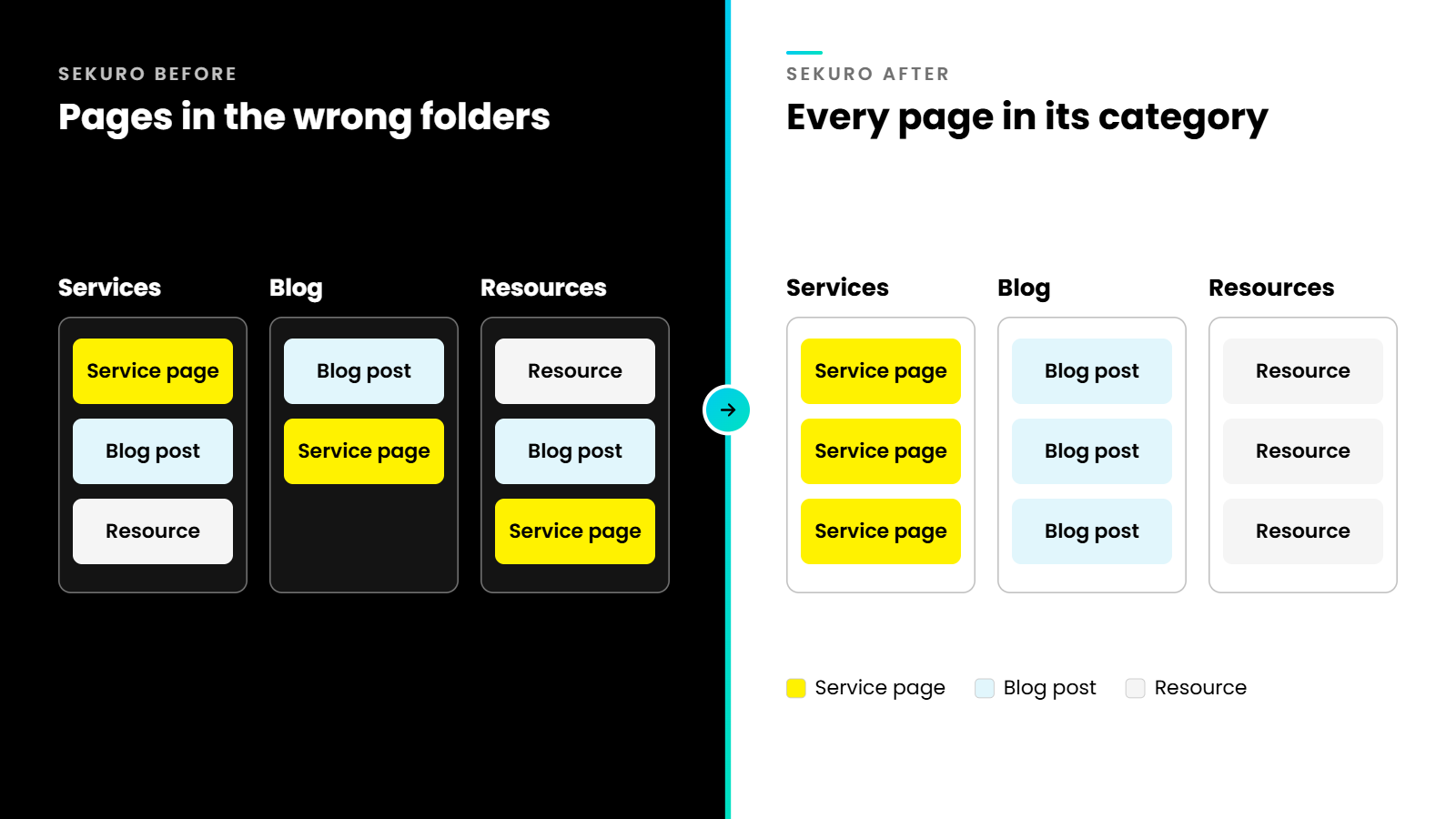
The lesson applies to businesses of every size. A messy structure rarely comes from one bad decision. It builds up slowly when a site launches without a foundation, and every new page adds to the mess.
The Navigation Problem Almost Every Site Has
The second issue we see on nearly every audit is a mismatch between the header and footer menus. The header links “SEO” to one landing page, the footer links “SEO Services” to another, and sometimes a third version exists from an old campaign.
This splits your authority across several similar pages. Google sees multiple pages competing for the same keyword and struggles to choose one, so none of them rank as well as a single strong page would.
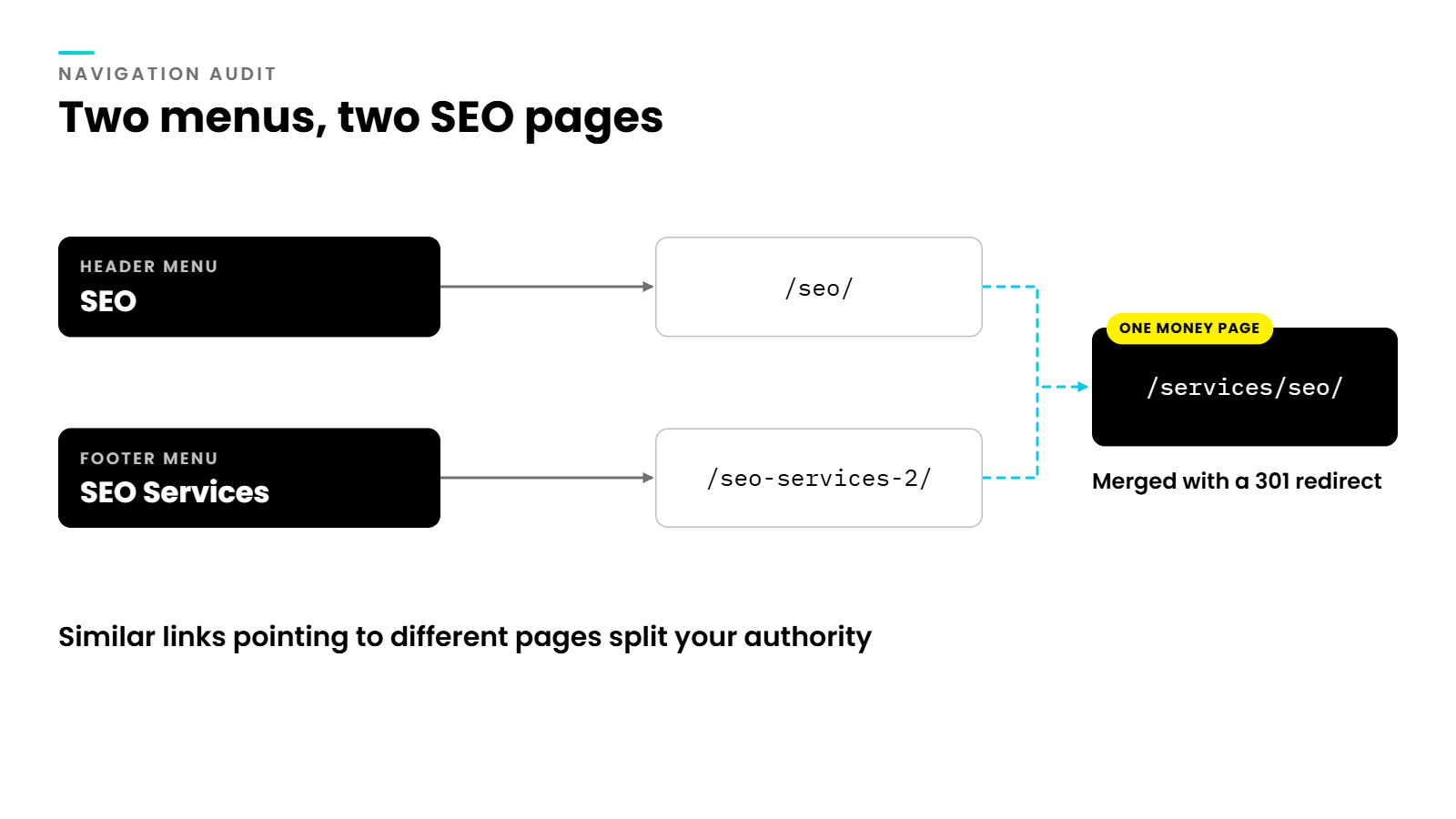
The fix is simple once you see it. Each service gets one money page, and every menu, button and in content link points to that exact URL. When duplicates already exist, we merge them and redirect the old URLs, the same process we follow in our SEO migration checklist.
How Link Structure Works
If site structure is the skeleton, links are the circulatory system. They carry authority from page to page and tell Google how your content relates.
Internal links
Internal links connect pages on your own site. They do three jobs at once. They help Google discover pages, they pass authority from strong pages to weaker ones, and they signal which pages matter most.
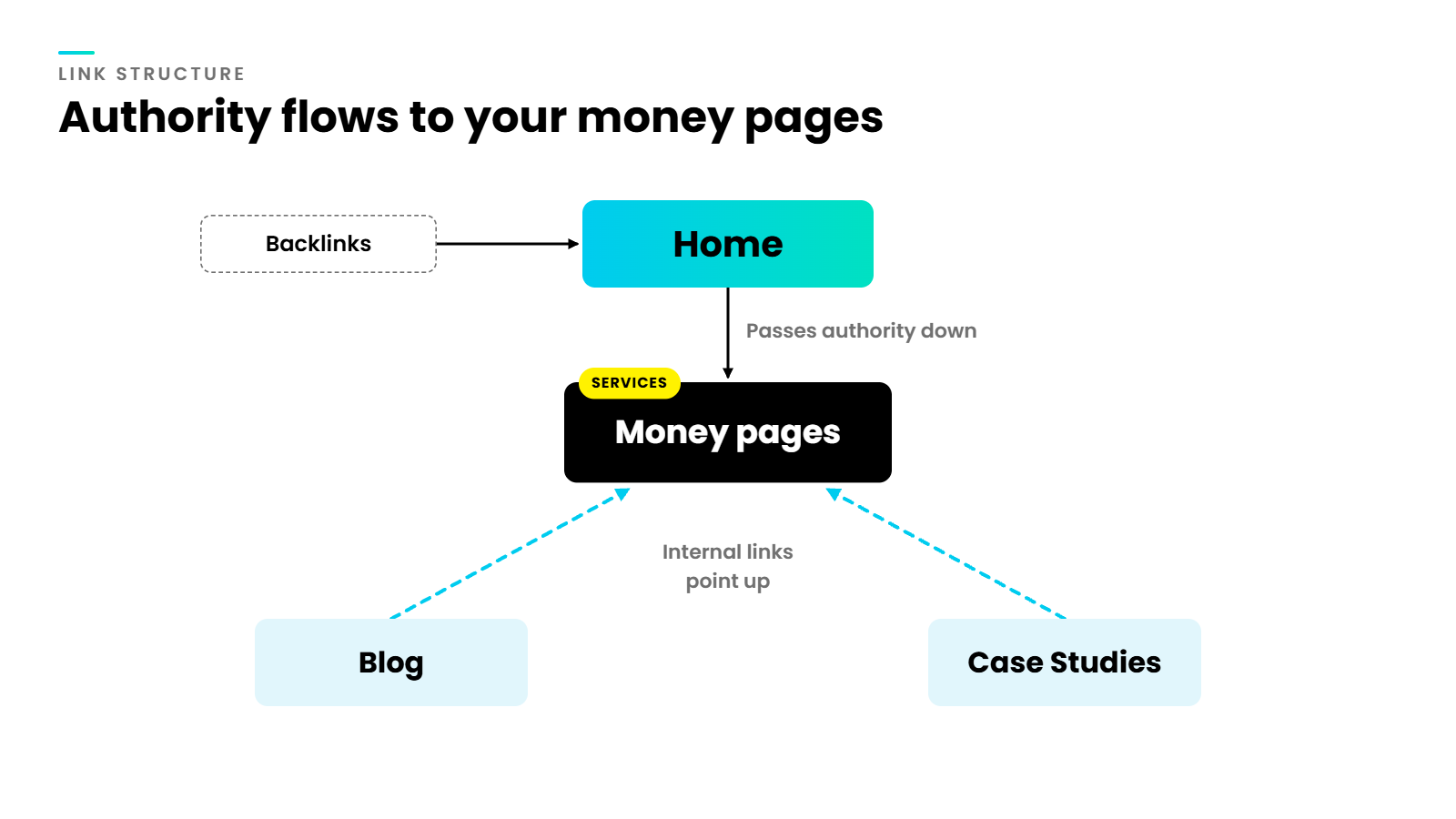
This is where the Site Pyramid pays off. Your homepage links to your money pages. Your blog articles and case studies link up to the service they relate to. Over time, every piece of supporting content you publish adds authority to the same money pages, so they keep gaining rankings instead of your team chasing new keywords with every new article.
A page with no internal links pointing to it, known as an orphan page, is hard for Google to find and receives no authority from the rest of your site.
Anchor text
Anchor text is the clickable wording of a link. Descriptive anchors like “our SEO services” tell Google what the destination page is about far better than “click here”. Google also notes that for images used as links, it uses the image’s alt attribute as anchor text, so alt text on linked graphics matters too. google
How many links should a page have? Google’s own guidance is that there’s no magical ideal number of links a given page should contain. We aim for links that a reader would genuinely want to click at that moment. google
External links
External links point from your site to other websites. Linking to credible sources, such as official guidelines, research or recognised industry bodies, supports the trust signals Google looks for and shows readers your claims are backed by evidence. We link out whenever a claim relies on someone else’s data or guidance, and we keep those links relevant to the topic of the page.
Links pointing to your site from other websites, known as backlinks, work in the opposite direction. They bring authority in, usually to your homepage first. A strong internal structure then distributes that authority to the pages that need it.
Building Structure With AI From Day One
This is where our process has changed the most. With AI, we can design a structure properly before building a website, instead of fixing it years later.
It starts with industry keyword research. Using Semrush, we find commercial intent keywords for the homepage and service pages, and informational keywords for the blog and resources. We weigh keyword difficulty against relevance, looking for the best balance of opportunity and fit. For a newer site, an easier keyword that genuinely matches the service will usually outperform a high-volume term it can’t yet compete for.
We then give both keyword sets to Claude and ask it to map a sitemap for the industry, suggest the categories that make sense and match each page to its target keyword. Our team reviews and refines that map, and it becomes the blueprint for both the URL structure and the content plan.
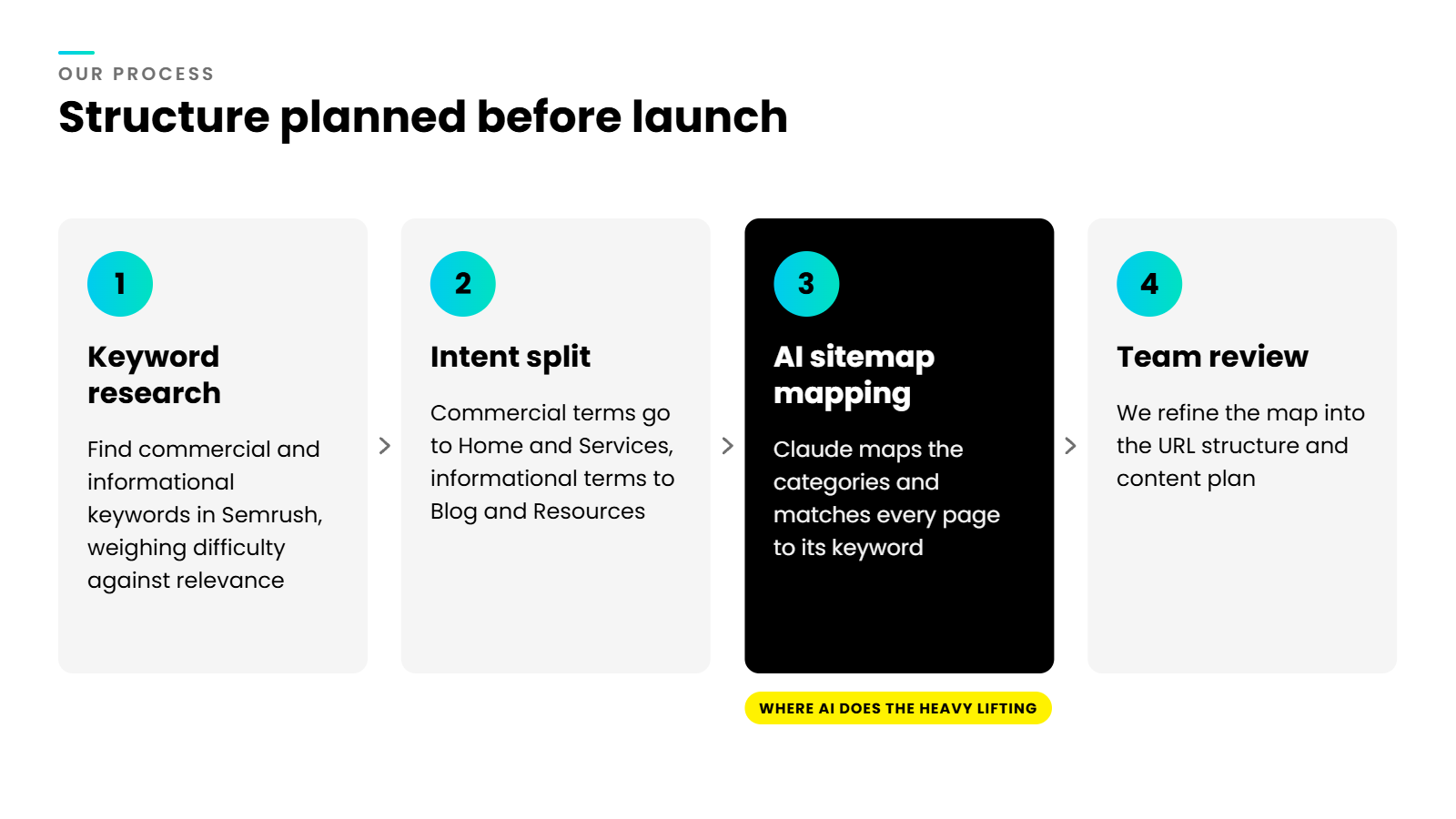
The result is a site where every URL has a purpose from launch. Money pages target winnable commercial terms, supporting content already has a home to link into, and each new article strengthens the structure rather than adding to the clutter. That’s how a website launch starts compounding instead of stalling. If you’re thinking about how this fits into AI search more broadly, our guide on building websites for AI visibility goes deeper.
Get the Foundation Right First
Great content and strong backlinks can only do so much on a site that Google can’t make sense of. When your structure is clear, your homepage leads, your money pages carry the authority, and every supporting page pushes in the same direction.
If your sitemap has grown messy, your menus point to different pages, or you’re planning a rebuild, now is the time to fix the foundation. At Mindesigns, we run web design and SEO as one team, so we build structure into the site from the first wire frame. Get in touch, and we’ll show you where your structure is holding your rankings back.