For Marketing Leaders

I look after hosting, DevOps and integrations for more than 40 live websites at Mindesigns, and most of them run on WordPress. On almost every new project, a client asks me the same thing. Which essential WordPress plugins does a business website actually need?
My answer is usually fewer than they expect. The official WordPress directory now lists close to 60,000 free plugins, and it is tempting to install one for every small idea. Plugins are also where most of the risk sits. Patchstack’s 2026 security report found that 91% of the 11,334 new WordPress vulnerabilities logged in 2025 were in plugins, and 46% had no patch available when they were made public.
So this list is short on purpose. It is the stack we run on our own website, mindesigns.com.au, and the one I recommend to the businesses we build for.
How we decide which WordPress plugins make the cut
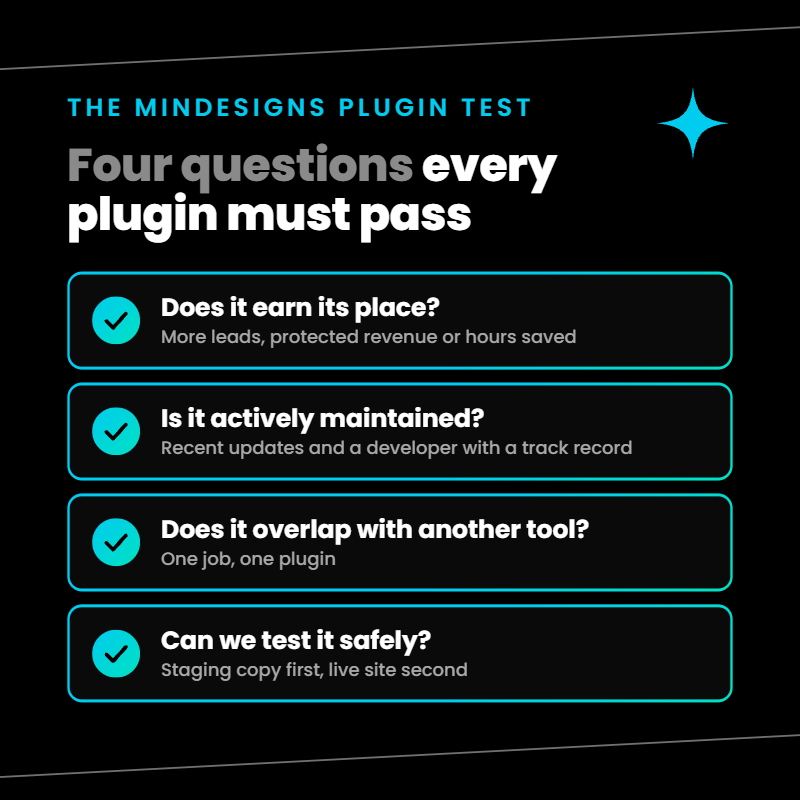
Before any plugin goes on a site we manage, it has to pass four questions. We call it the Mindesigns Plugin Test.
- Does it earn its place? It should bring in leads, protect revenue or save the team real hours each month.
- Is it actively maintained? We look for recent updates, support for the current WordPress version and a developer with a track record.
- Does it overlap with something we already run? Two tools doing one job means double the updates and double the chance of a conflict.
- Can we test it safely? Every core, theme and plugin update goes to a staging copy first, so nothing breaks in front of your customers.
Everything below passed that test on our own site and on long-term client builds such as The Finn Group, Australia’s largest business broker.
1. Elementor Pro, our WordPress page builder plugin
Our own website is built on Elementor Pro, and it is the page builder we use for most client sites. The reason is ownership. Once we hand a site over, the client’s team can update copy, swap images and launch landing pages without waiting on a developer. Essentially, they can move faster and create more content than businesses that solely depend on their agency to update and manage their website.
The Finn Group is a good example. When we first started working with them, we rebuilt their site in Elementor so their marketing team could edit pages themselves. Since then, they’ve published more content on their website and no longer depend on us for updates, removing a major bottleneck for their team.
Pro also includes a theme builder, popups and a form widget, which replaces several plugins many sites install separately.
2. JetEngine and JetSmartFilters for dynamic content
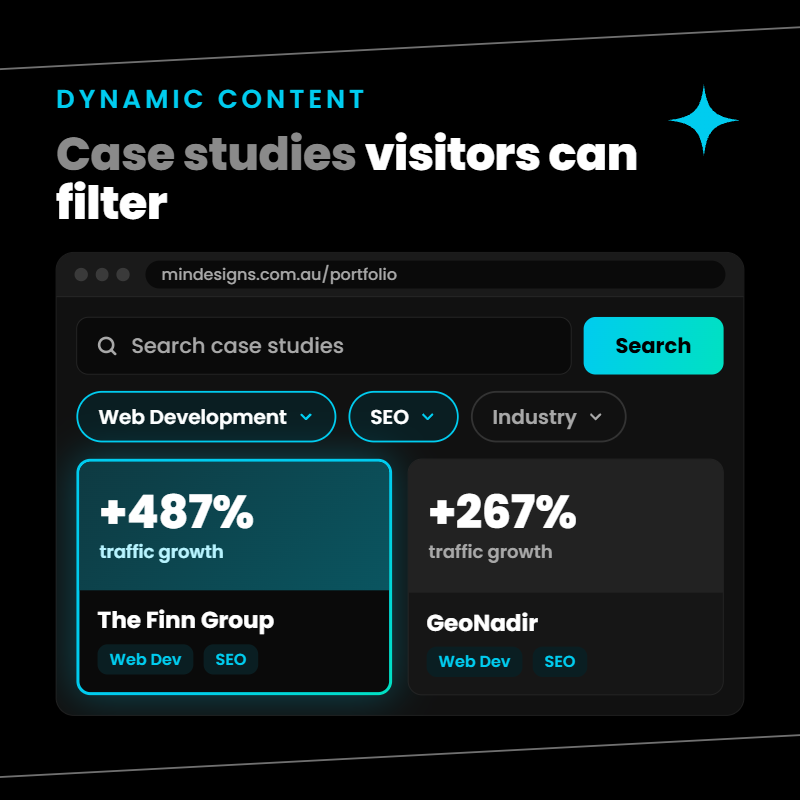
Some content repeats in a fixed format, such as case studies, office locations, team profiles or product listings. JetEngine from Crocoblock turns each of these into its own content type. On our site, our case studies and our Sydney and Cairns location pages work this way, so adding a new one means filling in fields rather than designing a page.
JetSmartFilters adds search and filtering on top. It suits any site where visitors need to narrow down a long list, like the searchable business and broker listings we built for The Finn Group.
3. All in One SEO Pro, our pick for the best SEO plugin for WordPress
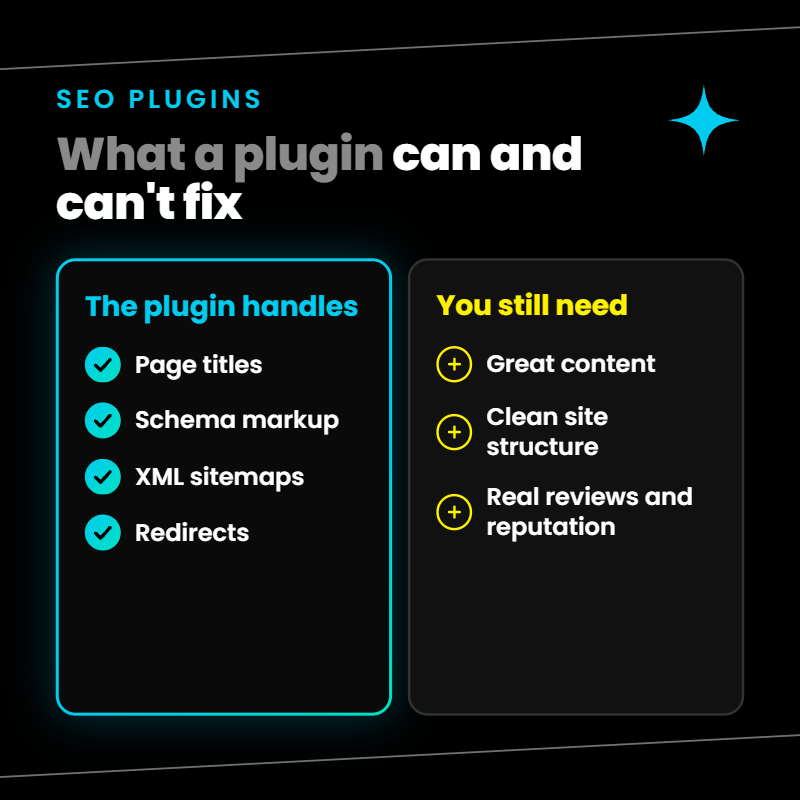
Yoast SEO, Rank Math and All in One SEO (AIOSEO) are all solid. The bigger rule is to run only one, because two SEO plugins create duplicate meta tags and competing sitemaps. We use AIOSEO Pro to manage page titles, meta descriptions, schema markup, XML sitemaps and redirects across our site.
If you need a local SEO for WordPress plugin, the Pro version includes a local business add-on for your address, opening hours and multiple locations. That matters for any business with more than one office or service area.
On a tight budget, the free versions of AIOSEO, Yoast or Rank Math cover the basics well. Whichever you choose, finish the setup wizard. A common issue we find in SEO audits is a premium SEO plugin that was installed and never configured. It also works best on a site with a clean site and link structure, which no plugin can fix on its own.
4. Defender Pro for WordPress security
Of all the WordPress security plugins available, Defender Pro from WPMU DEV is the one we run. It gives us a firewall, malware and file change scanning, login protection, two factor authentication and alerts when something looks wrong.
As with SEO, pick one security plugin. Two firewalls on the same site tend to block each other and slow everything down. A security plugin also works best alongside good habits, which in our website maintenance packages means scheduled malware scans, staging first updates and removing plugins nobody uses.
5. WP Mail SMTP so your enquiries reach the inbox
This is the plugin most business owners have never heard of, and one I would never launch without. By default, WordPress sends email straight from the web server, and those messages often land in spam or vanish completely. That includes your contact form notifications.
WP Mail SMTP sends site email through a proper mail service such as Google Workspace or Microsoft 365. Turn on its email log too, so you can prove a form notification was sent. When leads suddenly go quiet, email delivery is one of the first things worth checking.
6. One form plugin for lead capture
Forms are where plugins pile up fastest. It is common to find Contact Form 7, a separate redirection addon and a second form builder all running on one site, often left over from different developers.
If your site runs Elementor Pro, use its built in form widget and remove the rest. It handles fields, spam protection, thank you page redirects and webhooks to your CRM in one place. If you are not on Elementor, Gravity Forms or WPForms are the strongest standalone options. Either way, one tool means one place to check when a lead goes missing, and we test every form and key conversion path after each round of updates.
7. HubSpot for WordPress to connect leads to your CRM
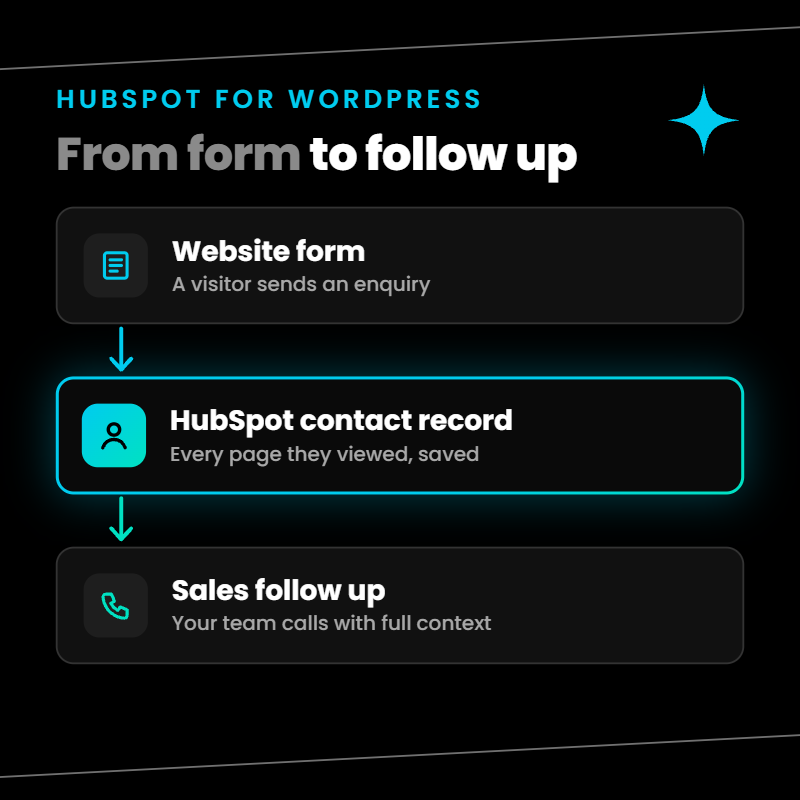
As a HubSpot Solutions Partner, we connect most client websites to HubSpot if they choose it as their CRM. The free plugin adds tracking, form capture and live chat, and shows every page a lead viewed before they got in touch. Your sales team walks into the first call already knowing what the prospect cares about.
One warning from experience. If the plugin loses its connection, tracking stops without any alert on the front end. Check the connection after major updates.
8. WP Reviews Pro for social proof
Real Google reviews on your service pages build trust faster than anything you write about yourself. WP Reviews Pro pulls them onto your site and displays them as sliders or grids. We use it to show our own 5.0 rating from more than 48 Google reviews.
Keep the feed synced and filtered. A widget showing reviews from four years ago, or reviews meant for another business, does more harm than an empty space.
9. Backups and caching, ideally handled by your host
You need a WordPress backup plugin or a host that does the job for you. On the sites we host, backups run daily at the server level and are stored offsite with 30 day restore points. If an update breaks something, we roll back in minutes and skip the extra plugin entirely.
If your host does not offer that, UpdraftPlus is a reliable option. Send the backups to offsite storage such as Google Drive or Amazon S3, because a backup stored on the same server as the site disappears with it.
Caching works the same way. Good web hosting handles much of it on the server. Otherwise, WP Rocket is a simple caching plugin that helps your Core Web Vitals without a long list of settings.
What to do when a plugin is not working in WordPress
Even a well chosen plugin will break eventually, usually right after an update. This is the order I work through.
- Check what changed. If the problem started after an update, restore your backup or roll the plugin back to its previous version first, then investigate.
- Look for the recovery email. When a plugin causes a fatal error, WordPress emails the site admin a recovery mode link that lets you log in and pause the faulty plugin.
- Find the conflict safely. The free Health Check and Troubleshooting plugin switches off plugins for your session only, so visitors never see a broken site while you test them one by one.
- Check compatibility. Confirm the plugin supports your WordPress and PHP versions.
- Check the licence. An expired premium licence quietly stops updates, which is why we manage plugin licences as part of maintenance.
- Send the developer the error log. Good developers respond fast when you give them the exact error.
[IMAGE: Step graphic of the six troubleshooting steps]
How many WordPress plugins is too many?
There is no magic number. A site with 25 well maintained plugins can run better than one with 8 neglected ones. What matters is that every plugin has a clear job, an active developer and someone responsible for updating it.
Once a quarter, audit your plugin list. Delete anything deactivated, anything that duplicates another tool and anything that has gone a year without an update. Each plugin you remove is one less thing to patch, licence and test.
Get the right plugin stack for your business website
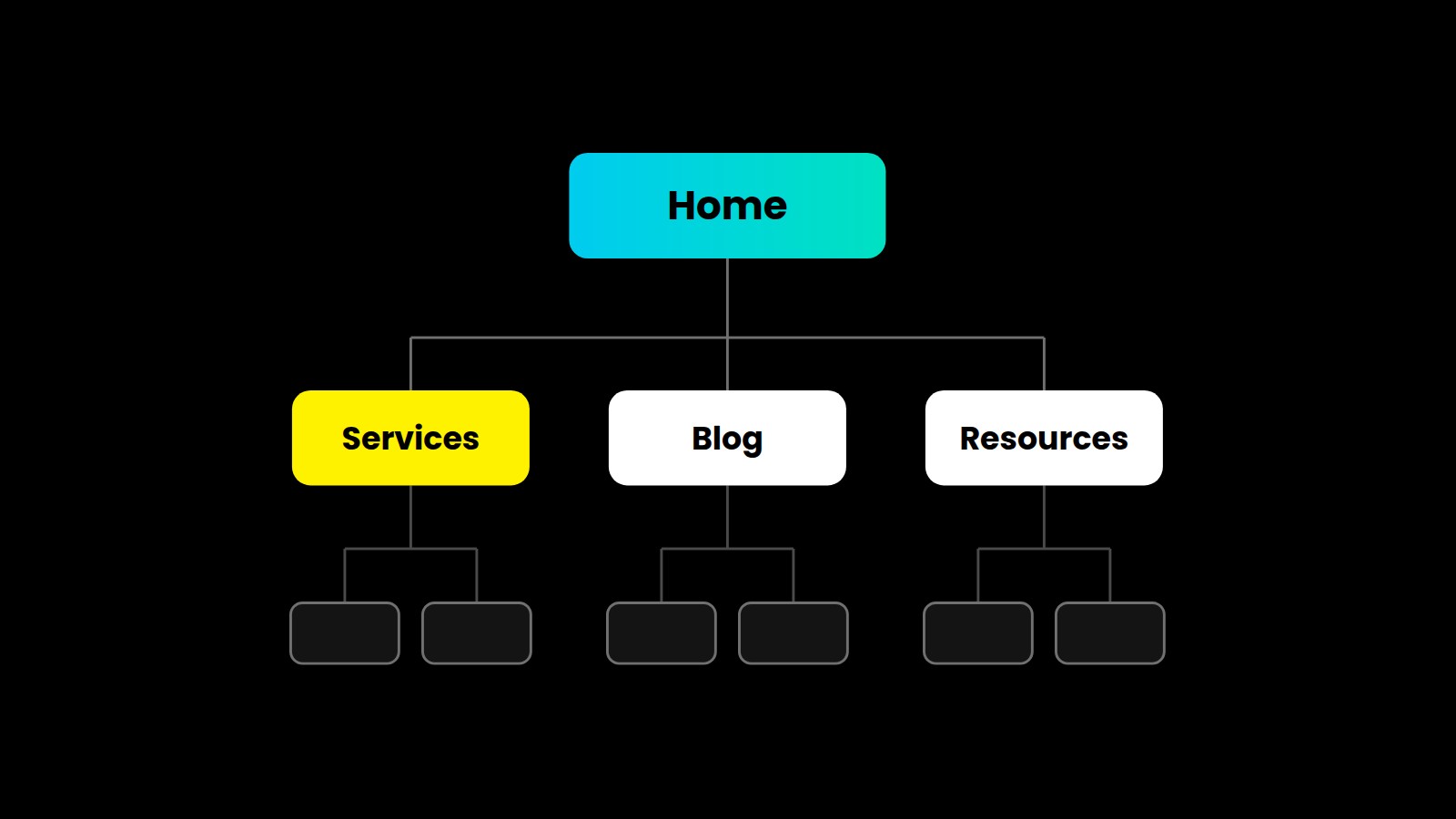
The essential WordPress plugins for most business websites come down to a short list. A page builder your team can use, one SEO plugin, one security plugin, reliable email delivery, one form tool, a CRM connection and solid backups. Add specialist tools like JetEngine only when your content needs them.
If your plugin list has grown out of control, or you are not sure what is running on your site, our team can help. We audit, clean up and look after WordPress sites through our website maintenance packages and custom website development. Book a free consultation, and we will review your plugin stack with you.
Frequently asked questions
What are the most essential WordPress plugins for a business website?
For most business sites, the essentials are a page builder, one SEO plugin, one security plugin, an SMTP plugin for email delivery, a form tool, a CRM connection and a backup solution. Everything else should earn its place.
What is the best free SEO plugin for WordPress?
The free versions of All in One SEO, Yoast SEO and Rank Math all cover titles, meta descriptions and sitemaps well. Choose one and complete its setup.
Do I need a security plugin if my host has a firewall?
A server firewall blocks many attacks, and a security plugin adds login protection, malware scanning, and alerts inside WordPress. For business sites, we recommend both.