For Marketing Leaders

Most websites do not lose their rankings to a Google update. They lose them on launch day.
I have seen it from both sides. As an agency, we are often called in after a redesign has gone wrong. A business proudly launches a beautiful new website, and six weeks later organic traffic is down 40% and nobody can explain why. The explanation is almost always the same. The redesign treated SEO as something to check after launch, when it needed to be a constraint designed in from the start.
My background is in engineering, and I approach migrations the way engineers approach anything that cannot be allowed to fail. With a checklist, executed in order, with verification at every step. This is the actual process we use at Mindesigns when we rebuild a client’s website. It is not exotic. It is disciplined. That is the entire trick.
Why migrations lose traffic
Google’s understanding of your website is built up over years. Which URLs exist, what each page is about, how pages link to each other, and which external sites link in. A redesign can silently break all four. URLs change and old links point at nothing. Content gets trimmed for aesthetics and pages lose the depth that ranked them. Internal links get rebuilt around a new menu and authority stops flowing where it used to. Templates change and headings, metadata, or schema quietly disappear.
Here is what actually happens on Google’s side. Google does not look at your website the way a person does. It keeps a stored model of your site, an index built from every crawl it has ever done, with a history and a trust score attached to each URL. When Googlebot returns after your relaunch and finds different URLs, thinner pages, and links pointing to new places, it cannot simply transfer the old trust across. It has to re-learn the site almost from scratch. While that re-learning happens, the safest thing for Google to do is rank you more cautiously, and every signal you fail to carry over, a missing redirect, a deleted paragraph, a lost heading, becomes trust that never makes the trip.
The analogy I use with clients is a shop that moves overnight. Imagine your business has traded from the same corner for ten years. Customers know the address, the council has it on file, every review and map and word-of-mouth recommendation points to that corner. Now imagine you move to a new street overnight, change the shop’s name slightly, rearrange every aisle, and leave no forwarding sign on the old door. Your loyal customers arrive at an empty shopfront. Some will hunt down the new address. Most will simply go to the competitor next door. Google is that customer, multiplied by every page on your site. Redirects are the forwarding signs, and this whole checklist is essentially the art of moving without losing your regulars.
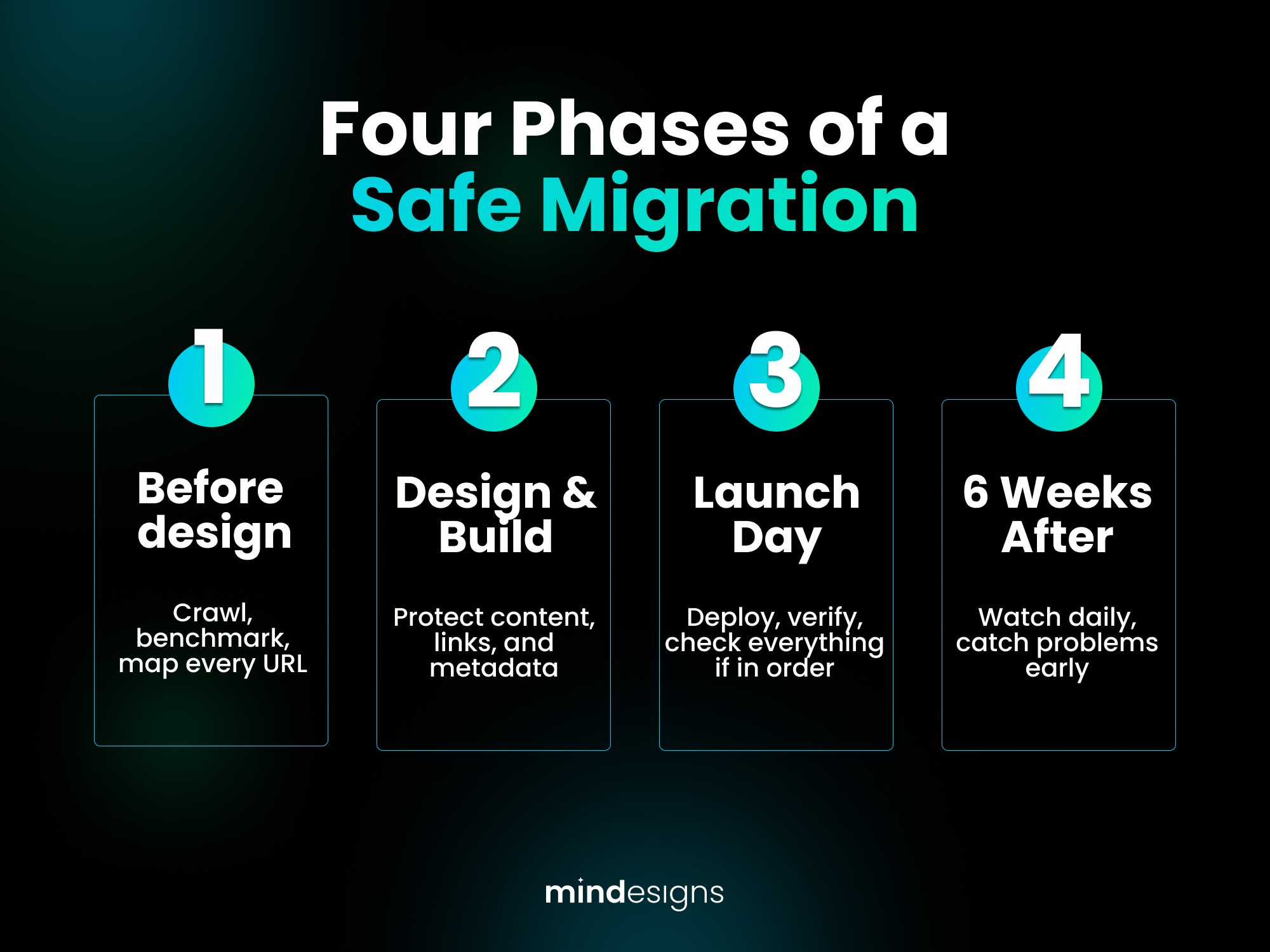
Phase 1. Before anyone designs anything
Crawl and inventory the existing site. Export every URL from a full crawl (Screaming Frog or similar), Google Search Console, and your analytics. This is your source of truth. You cannot protect pages you do not know exist, and every site we have ever audited had pages the owner forgot about. This matters even more in larger organisations, where websites outlive the people who built them. In corporate environments like those we work with at Online Education Services and Wärtsilä, a site might carry the fingerprints of five agencies and a dozen staff who have long since moved on, and nobody alive remembers why certain pages exist. The crawl remembers for you.
Identify what earns your traffic and links. Rank every URL by organic sessions, conversions, keyword rankings, and referring domains. In most businesses, fewer than 20% of pages drive more than 80% of organic value. These pages are load-bearing walls. Mark them, and treat any proposed change to their URL, content, or internal links as a decision requiring justification, not a side effect of the new design.
Benchmark everything. Record current rankings, traffic by page, Core Web Vitals, and indexed page counts. Without a before, you will never be able to prove or diagnose the after. When something dips post-launch, and something usually dips, this benchmark is what lets you pinpoint exactly what broke and where, instead of guessing at the whole site.
Decide the URL structure deliberately. The best migration keeps URLs identical. Where change is genuinely necessary, map it now, in a spreadsheet, one old URL to one new URL. No wildcards, no “we’ll sort redirects later.” Later is where rankings go to die.
Phase 2. During design and build
Preserve content depth on ranking pages. Designers trim text because whitespace is beautiful. Google ranks pages partly because of that text. When a page that ranks needs a visual refresh, restructure the content rather than deleting it. Be especially protective of the elements that carry your E-E-A-T, the experience, expertise, authoritativeness and trust signals Google’s quality guidelines reward. Author bylines and bios, credentials and certifications, case studies with real numbers, testimonials with real names, and your schema markup. These are precisely the details a visual cleanup deletes first, and precisely the details that made Google trust the page. A redesign should strengthen them, never strip them.
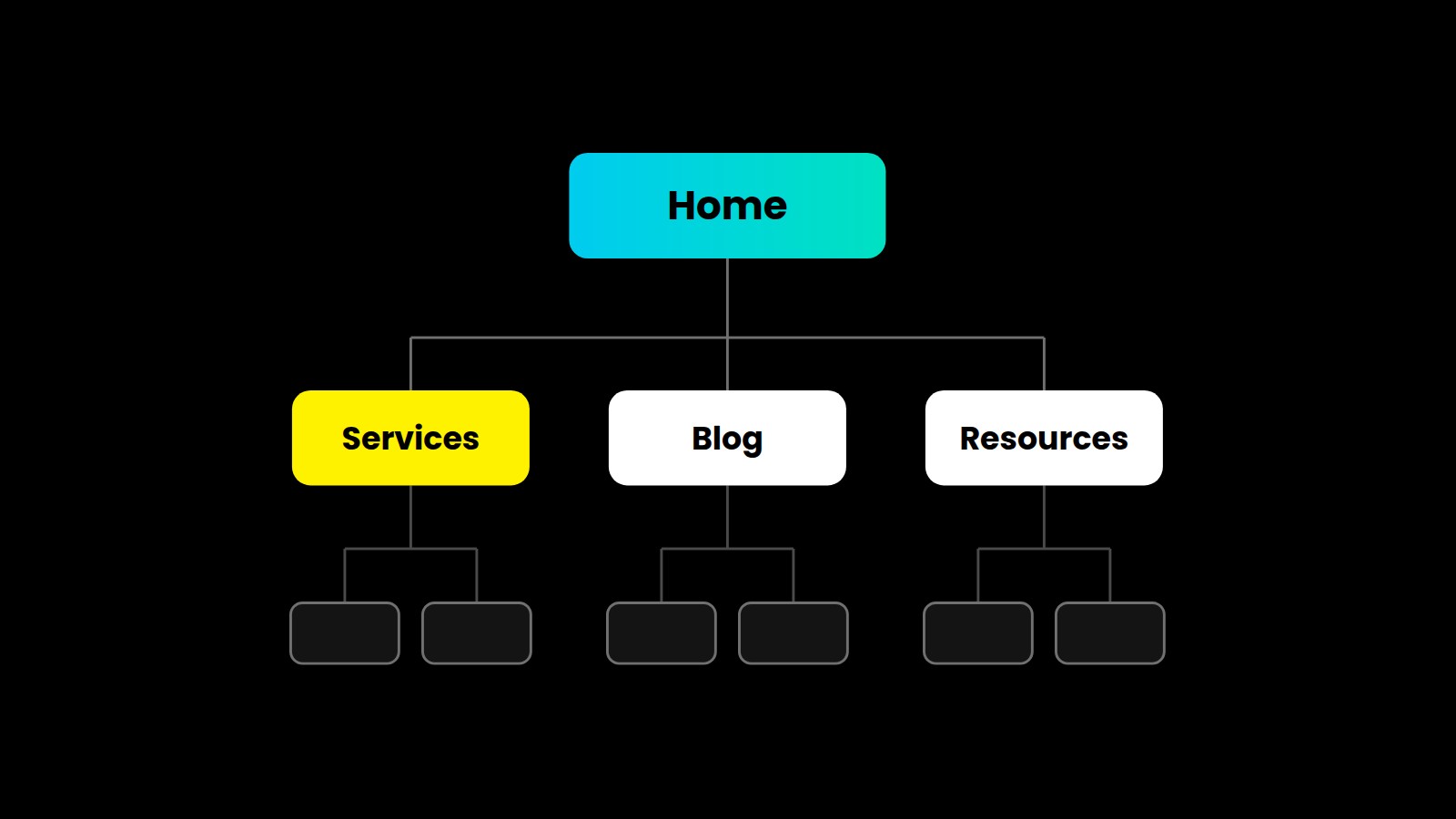
Rebuild internal linking on purpose. Your money pages should receive more internal links on the new site, not fewer. Check the new navigation, footer, and in-content links against the old crawl. A useful way to think about it is in order of weight. Your homepage carries the most authority, so what it links to matters most. Next come your service or product pages, which should be reachable from the main navigation in one click. Then supporting pages like your about page and case studies, which carry your trust signals. Then your articles, which should link up to the service pages they support rather than floating alone. Google’s own guidance is that every page should be reachable through links, organised in a logical hierarchy, and that is exactly what the new menu and footer need to preserve. If a page mattered in the old structure, find where its authority flows in the new one before launch, not after.
Carry over the invisible layer. Title tags, meta descriptions, heading structure, image alt text, canonical tags, and schema markup all live in templates, and templates are exactly what a redesign replaces. Every one of these needs to be migrated or improved, page by page for your top pages.
Keep the staging site out of Google. A staging site is the private rehearsal copy of your new website, the version your team builds and tests before the public launch. It needs to stay private. If Google finds and indexes it, the search engine now sees two nearly identical websites, your real one and the rehearsal, and it has to guess which one is genuine. Your real pages can end up competing with their own unfinished twins, and in bad cases the rehearsal copy outranks the original. The fix is simple. Put a password on the staging site from day one, so search engines physically cannot reach it.
Test the redirect map before launch. Load the full redirect file on staging and crawl the old URL list against it. Every old URL should resolve to its mapped new URL in a single hop, returning a 301. Fix chains and loops now, not in production.
Phase 3. Launch day
Launch mid-week, in the morning, never on a Friday. The reason is boring and practical. Problems surface in the hours after launch, and you want your developers, your agency, and your hosting support all awake, at their desks, and contactable when they do. A Friday evening launch means a broken site runs unattended all weekend while Google crawls it, and Monday morning becomes an archaeology dig. Mid-week mornings give you the maximum runway of working hours to catch and fix issues while they are still small.
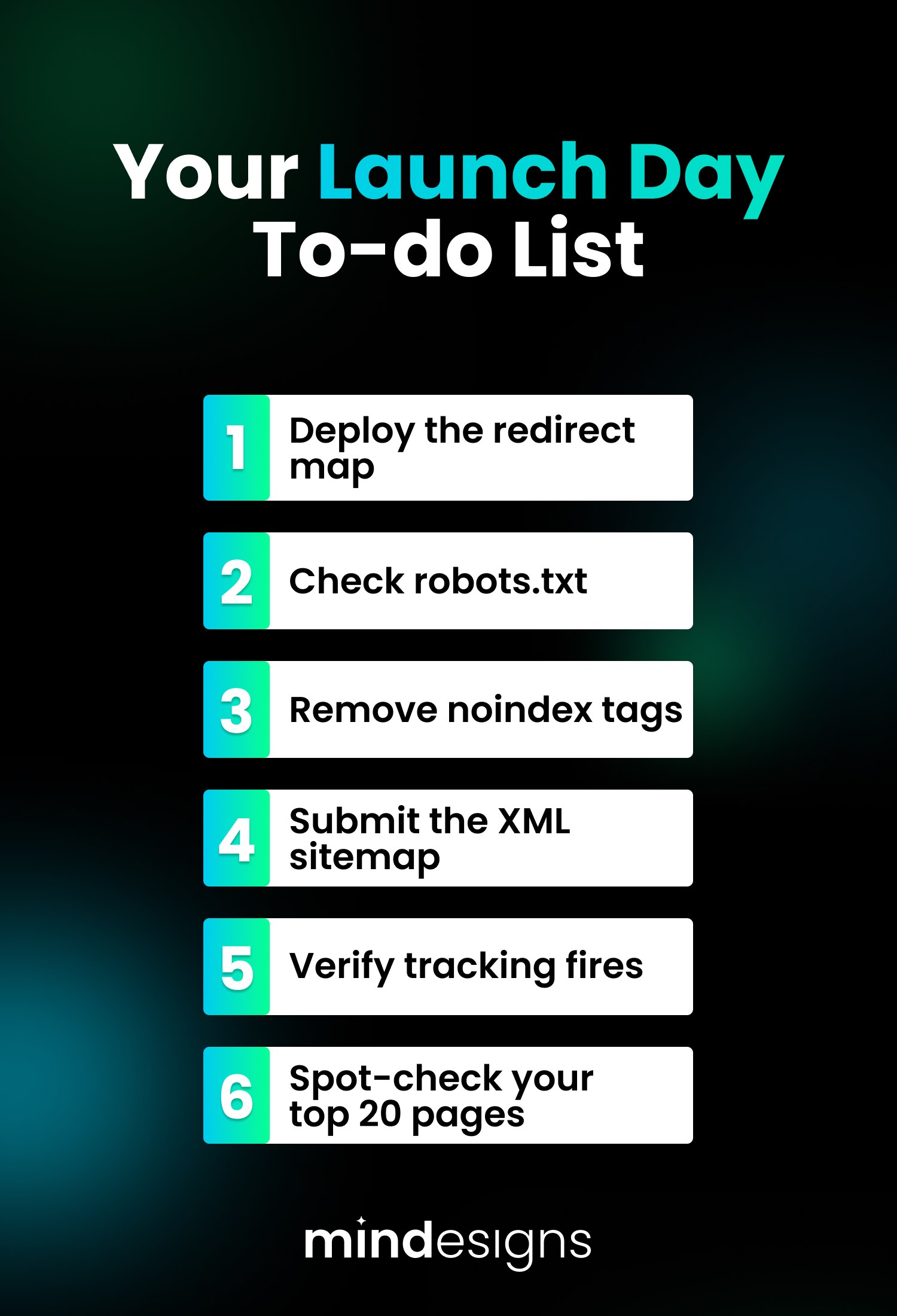
Then, in order. Deploy the redirect map and immediately re-crawl the complete old URL inventory against the live site. Verify the robots.txt file no longer blocks anything it should not, because copying a staging robots.txt into production is the single most catastrophic and most common migration mistake I have seen. Confirm the noindex tags used during development are gone. Submit the new XML sitemap in Search Console. Check that analytics and conversion tracking fire on the new templates. Spot-check your top 20 pages by hand for titles, content, schema, load speed, and mobile rendering.
This whole sequence takes a few hours. Skipping it has cost businesses years of accumulated rankings.
Phase 4. The six weeks after
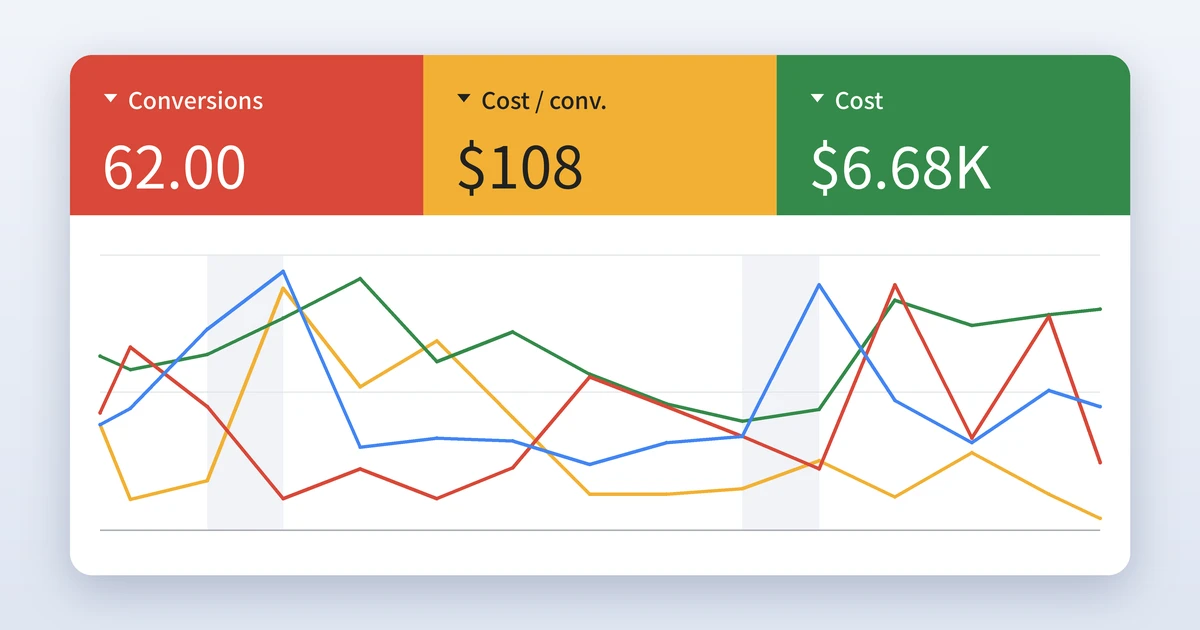
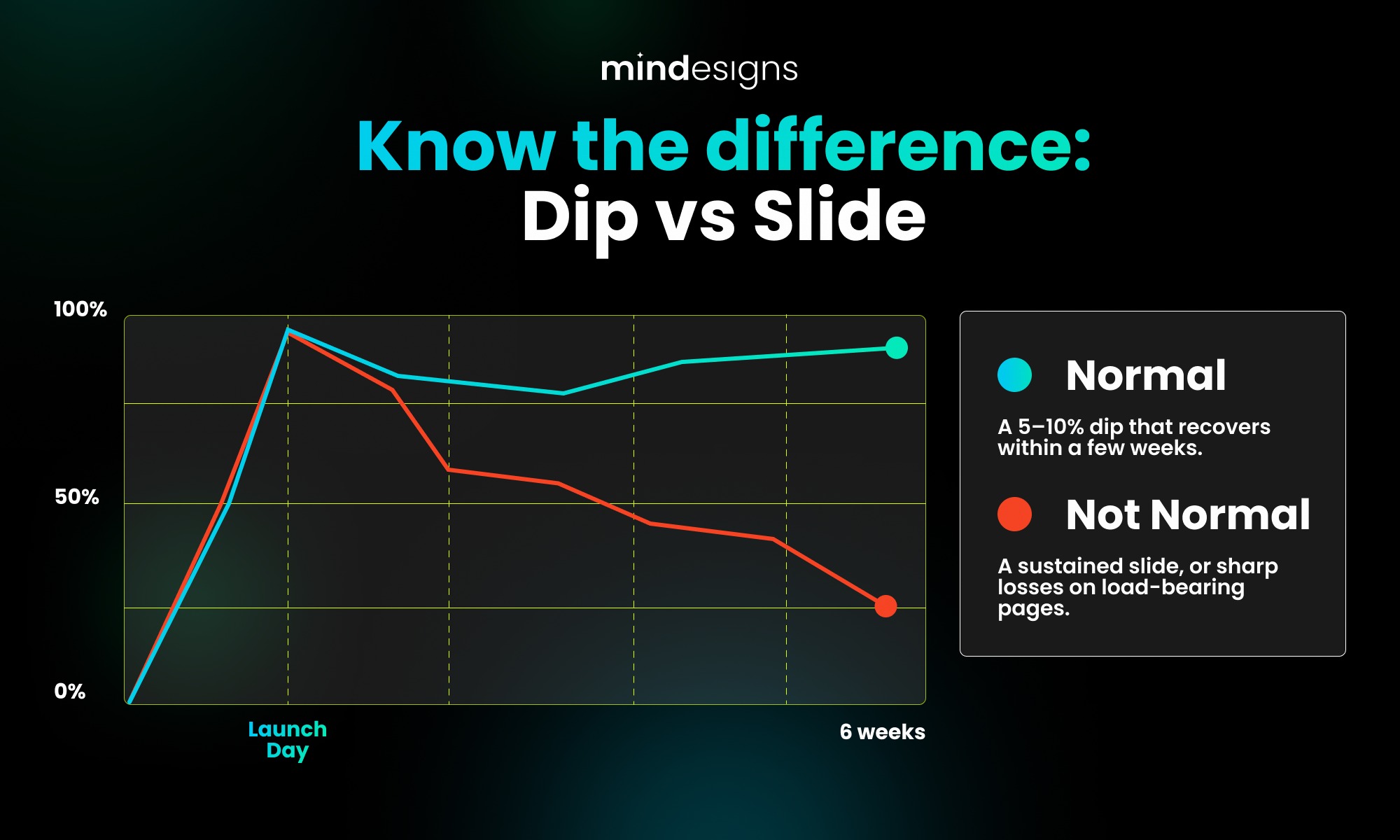
Migrations are judged in the weeks after launch, not the day of. Watch Search Console daily for the first fortnight. Coverage errors, 404 spikes, and dropping indexed counts are your early warnings. Compare page-level traffic against your benchmark weekly, so a problem on one template is visible before it becomes a problem across the site. Expect some turbulence, as a 5 to 10% dip while Google recrawls is normal and typically recovers within a few weeks. What is not normal is a sustained slide, or sharp losses concentrated on the pages you marked as load-bearing. If that happens, your redirect map and the invisible layer are the first two places to look, because in our experience that is where the answer lives 9 times out of 10.
Keep the old site’s crawl data and benchmarks for at least six months. They are the only map back if something needs to be restored.
The uncomfortable truth about migrations
Nothing in this checklist is difficult. Every item is known, documented, and within the capability of any competent team. Websites still lose their traffic in redesigns constantly, and the reason is organisational rather than technical. The people responsible for how the site looks and the people responsible for how it ranks are usually different people, working on different timelines, and nobody owns the intersection.
That intersection is the whole job. It is why we run design and SEO inside one team at Mindesigns rather than as separate services, and why our rebuilds start with a crawl file rather than a mood board. Beautiful and findable are not competing goals. They just need to be engineered together.
One last piece of honesty. No migration is ever perfect. Something small always slips through, a stray redirect, a forgotten page, a template quirk. But that is exactly what this process is for. Follow this checklist to the letter and the misses stay small, get caught early, and cost you days instead of rankings. The businesses that lose 40% of their traffic did not have bad luck. They had no checklist. Follow this one and you give yourself every chance of coming out the other side with little to no harm done.
Reviewed by Jeison Marroquin